
A WooCommerce store is not a website you can build once and leave alone. It takes orders, handles payments, holds customer accounts and tracks stock, and the software behind all of that changes often. WordPress releases updates. WooCommerce releases updates. Payment gateways, shipping tools and other plugins release their own updates, sometimes to fix security problems that should not wait. Our woocommerce maintenance service exists to handle that steady work carefully, in the right order, with checks at every step, so your store keeps running while the software underneath it stays current.
This service is for store owners who sell through WooCommerce and do not have the time, or the wish, to test every update themselves. Instead of updating live and hoping for the best, we test changes on a private staging copy of your store first, prove that checkout and payments still work, and only then apply the changes to the live store. It is a process built on care and checking, not on hope.
Raozan IT is a web design and WordPress team based in Noapara, Raozan, Chattogram, Bangladesh, and we have looked after WordPress websites since 2017. Our clients are in Bangladesh and in other countries around the world, and the way we work does not change with distance: careful preparation, honest communication in plain language, and a written record of what was done on your store and when.
What Our WooCommerce Maintenance Service Includes
Every woocommerce maintenance plan we run covers the same core work. The details are adjusted to your store, because a small shop with a handful of plugins and a busy store with many extensions do not need exactly the same routine, but the foundations below are always part of the service.
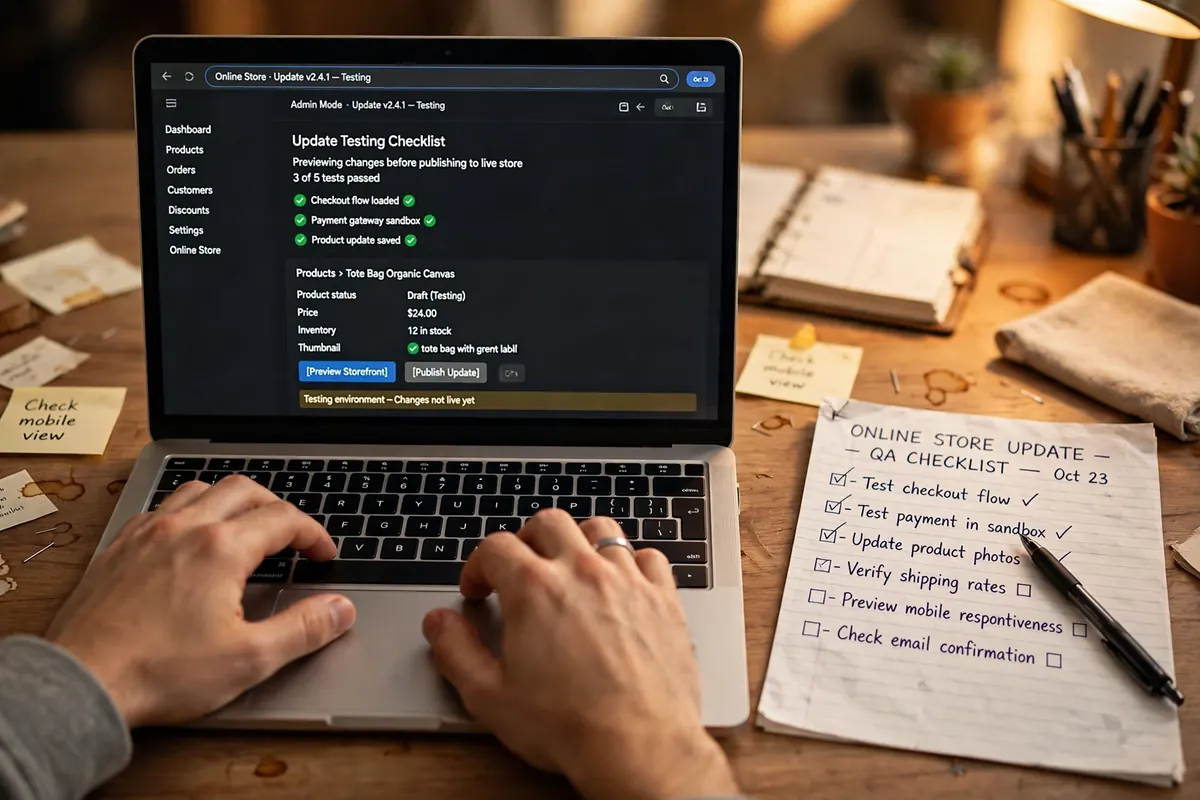
- Core, plugin and theme updates, tested on staging first: WordPress core, WooCommerce, your theme and every plugin are updated on a private staging copy of your store before anything touches the live site. We look through the staging copy for layout changes, errors and conflicts, and only move an update round live when the staging copy runs cleanly.
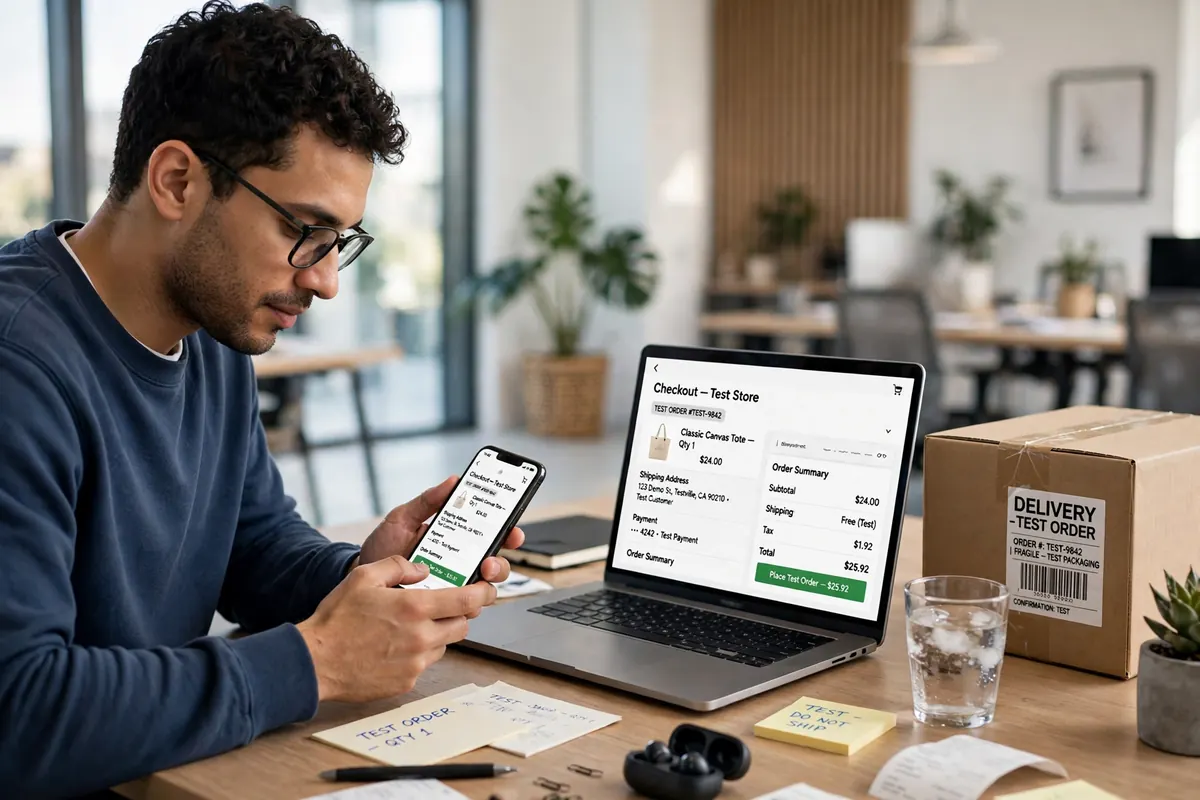
- A real test order after every update round: After updates go live, we place an actual test order on your store, from product page to checkout to completion. This proves the full buying path works with the new software, not just the homepage. If the test order fails at any point, we know about it before your customers do.
- Payment gateway checks: Payments are the heart of a store, so we check that your payment gateway still connects, still shows correctly at checkout and still records orders the way it should. Payment plugins change their requirements from time to time, and these checks catch problems while they are still small.
- Security monitoring and malware scans: Your store is scanned for malware and suspicious changes on a regular schedule, and we watch for the warning signs of a break-in, such as unknown admin accounts or altered files. This work sits alongside our dedicated WordPress security services for stores that need a deeper level of protection.
- Scheduled backups kept off-site: We take regular backups of your store, files and database together, and store them away from your hosting account. A backup that lives only on the same server as the store is not much help if that server fails, so copies are kept separately and checked to be complete.
- Uptime monitoring: Your store is checked around the clock by an automated monitor, so if the site goes down we hear about it quickly rather than finding out from a customer. We then look into whether the cause is hosting, an update, or something inside the store itself.
- Database and speed watch: WooCommerce databases grow over time with orders, sessions and leftover data, and a store that slows down loses buyers. We keep the database tidy and watch loading speed as part of the routine, and where a store needs focused work we offer separate WordPress speed optimization.
- A short monthly report in plain language: Once a month you receive a brief report that says what was updated, what was checked, what we found and what we suggest next. No technical fog. If something needs your decision, the report explains it the way we would explain it across a desk.
If your store also needs new features, a redesign or a rebuild, that is a separate project rather than maintenance work. Our WooCommerce development services cover building and extending stores, and many clients come to a maintenance plan with us after a build is finished, so the same team that built the store keeps looking after it.
Why WooCommerce Stores Need Extra Care
A normal business website mostly shows information. If a layout shifts slightly after an update, it is an annoyance. A WooCommerce store is different: it is a working system where several pieces of software have to agree with each other at the exact moment a customer pays. WordPress core, the WooCommerce plugin, your theme, the payment gateway, shipping and tax tools, and any other extensions all interact. An update to any one of them can change how another behaves.
Payment plugins deserve special attention. Banks and payment providers update their security requirements and their software regularly, and a gateway plugin that falls too far behind can stop taking payments or start declining cards it should accept. The store can look perfectly fine from the front while checkout quietly fails, and the owner may not notice until sales drop. This is why checking the buying path matters more than checking how the homepage looks.
Most update problems are ordinary, not dramatic. A plugin update changes a checkout field. A theme update moves a button. Two plugins start disagreeing after one of them changes how it stores data. None of these are reasons to avoid updates, because old software is itself a risk: known security holes in old versions are exactly what automated attacks look for. The sensible path sits in the middle. Keep the software current, but treat every update round as a small, planned job with a backup first, a test on staging, and a check of the store afterwards.
There is another quiet problem with stores: most shoppers who meet an error never tell you. A customer whose payment fails, or whose checkout page loads strangely, usually just leaves and buys elsewhere. The store owner sees only a dip in orders, with no message explaining why. Regular test orders and gateway checks are how these silent failures get found. Without them, a store can be losing sales for days while looking, to its owner, exactly as it always did.
There is also more to lose in a store database than in a normal website. Orders, customer accounts, invoices and stock levels are business records. Careful backups, taken before changes and kept separate from the live site, are what turn a bad update from a crisis into a short repair job, because the store can be returned to the state it was in before the change was made.
How It Works
Our woocommerce maintenance services follow the same order of work every time. A fixed routine means nothing depends on memory, and you can see exactly what happens to your store at each stage.
- We audit the store and take a full backup: Before any plan starts, we look at how your store is built: WordPress and WooCommerce versions, theme, plugins, payment gateways, hosting setup and the current backup situation. We then take a complete backup, so there is always a clean starting point to return to.
- Updates are applied on staging and tested: Available updates are applied to a private staging copy of the store. We work through the staging copy looking for broken layouts, error messages and conflicts, and we fix or hold back anything that causes trouble, rather than pushing it live and hoping.
- A test order and checkout walk-through: On the staging copy, and later on the live store, we walk the full buying path: add a product to the cart, go through checkout, complete a test order and confirm the order records correctly and the payment gateway responds as it should.
- Updates go live and are checked again: Once staging passes, the same updates are applied to the live store, with a fresh backup taken first. We then repeat the key checks on the live site, including the test order, pages, and checkout, before the round is treated as finished.
- Monthly report and next steps: You receive a short written report covering what was updated, what was checked, anything we found and anything we recommend. If a plugin needs replacing or a bigger piece of work is coming, we explain it in advance so there are no surprises.
Where a store sells to customers in particular hours, we schedule update rounds for quieter times wherever we reasonably can. Our 8-member team works from Bangladesh, and for store owners in other time zones we agree the working pattern at the start, so updates, reports and replies land at times that make sense for your business day.
Who This Is For
This service suits store owners who sell through WooCommerce regularly and cannot afford for checkout to break quietly after an update. If your store takes orders every day, the cost of a broken day is real, and the routine above is built to protect the buying path above everything else. It also suits owners who have been updating the site themselves and would rather hand that responsibility to a team that does it as a planned job.
It is also a good fit for small teams with no developer of their own. Many growing stores reach a point where the owner, or one staff member, has become the accidental webmaster, fitting updates and fixes around their real job. A maintenance plan moves that work to us, with staging tests, backups and reports handled as a routine, while you keep control of your products, prices and orders exactly as before. And if you have ever had an update break something at the worst possible moment, you already understand why the staging step exists.
The service also fits owners who took over a store that someone else built. Inherited stores often come with unknown plugins, no staging copy and no reliable backup routine, and the first job is simply to understand what is there. Our opening audit covers exactly that, and the maintenance routine that follows replaces guesswork with a known, steady process. Owners planning a busy sales period also use a plan to get the store checked, updated and proven in good time, rather than making changes in the middle of their most important weeks.
Frequently Asked Questions
What is included in a WooCommerce maintenance plan?
A plan includes WordPress, WooCommerce, theme and plugin updates tested on a staging copy before they go live, a real test order after every update round, payment gateway checks, security monitoring and malware scans, scheduled backups stored away from your hosting account, uptime monitoring, database and speed care, and a short monthly report in plain language. The exact routine is adjusted to your store, and we confirm in writing what your plan covers before any work starts.
How do you make sure updates do not break my checkout?
We never update the live store first. Updates are applied to a private staging copy of your store, where we look for layout changes, errors and plugin conflicts. We then walk the full buying path and complete a test order on staging. Only when that passes do the updates go live, with a fresh backup taken beforehand, and we repeat the checkout checks and place another test order on the live store. If something fails a check, it is held back and dealt with on staging, not on your live store.
What happens if something breaks after an update?
Before any update round goes live, we take a full backup of the store. If a problem appears afterwards, we restore that backup so the store returns to the working state it was in before the change. We then investigate the cause on the staging copy, where there is no pressure from live customers, apply a fix or hold back the update that caused the trouble, and explain to you in plain language what happened and what we did about it.
Do you work with stores outside Bangladesh?
Yes. Raozan IT is based in Bangladesh, and we look after stores for owners in other countries as well. Day-to-day communication is by email and WhatsApp, and reports and updates are always in writing, so distance makes little difference to the work itself. Wherever possible, we schedule update rounds for your store’s quiet hours rather than your busiest selling times, and we agree the working pattern with you at the start.
How do international clients pay?
International clients usually pay us through Payoneer or Wise, both of which work reliably for paying a business in Bangladesh. Before any work begins, we confirm the service, the amount and the payment method with you in writing, so you know exactly what you are paying for and how. If you prefer a different route, tell us and we will look at whether we can accept it. Nothing starts until the details are agreed in writing.
How do we start?
Send us a message through WhatsApp, our contact page or email, and tell us a little about your store. We will ask for access details so we can carry out an initial audit: we look at your WordPress and WooCommerce versions, plugins, payment gateways, hosting and current backups. After the audit, we propose a maintenance plan in writing, explaining what it covers and what it costs. The plan only starts when you have read it and agreed to it.
Keep Your Store Selling
Your store earns its keep when customers can browse, pay and receive their orders without friction. A woocommerce maintenance plan keeps the software side of that in order, quietly, month after month, while you focus on products and customers. If you would like us to look at your store, there are three easy ways to reach our team: message us on WhatsApp, use the form on our contact page, or write to us at [email protected]. Tell us what your store sells and what worries you about looking after it, and we will reply with honest next steps, starting with the audit.